
Server Security Services in India – Protect Your Critical Business Infrastructure
Your servers run essential applications, store business information and support daily operations. Malware, weak access controls and unpatched software can expose these systems to attacks, data loss and unexpected downtime.
You Can Trust Us!
Trusted by 1000s of Customers across the Country

25
Years of Business

2,700+
SME Customers in India

85%
Repeat Customers

300+
Man Years of Experience
Protect Your Critical IT Infrastructure with Advanced Server Security Solutions
Server security refers to the protection of servers running business critical operating systems, applications, access points and data. Ransomware could cripple a business within hours, compromised credentials grant an attacker full administrator access to a server, out of date software and open network ports allow data to be stolen. Server security services can identify and protect against these risks before they affect the business as a whole.
The cybersecurity solutions for HRM’s firewall, endpoint protection and cloud offerings for server security are a good starting point to define necessary server security measures for different environments (physical, virtual, dedicated or cloud servers). This server security for you might also include security measures like secure configuration, identity management, malware detection, vulnerability management and monitoring with incident management.
Our Server Protection Priorities
Layered controls protect server workloads, access and business data.

Prevent Threats
Reduce malware and unauthorised network activity.

Control Access
Limit administrator privileges and strengthen authentication.

Manage Weaknesses
Review configurations, updates and vulnerabilities.

Maintain Visibility
Investigate relevant events and security alerts.
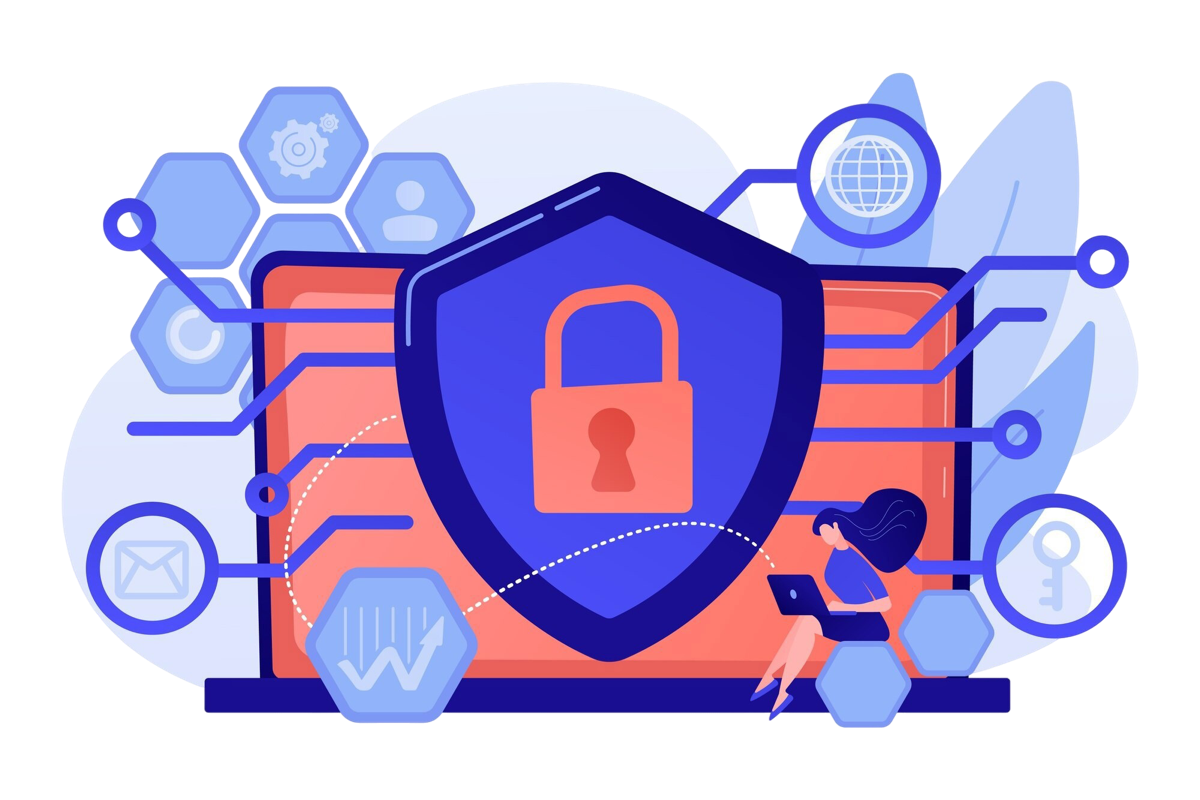
Why Choose HRM for Server Security Services?
Server Security solutions from providers in India can be chosen only after studying the features of software published by a company to protect Endpoints, Firewalls, Data at Rest and Cloud computing environments. However, more than features of the software are at stake. An HRM expert will help businesses understand the risks to their server and select appropriate protection measures based on the operational needs and responsibilities of the customer.
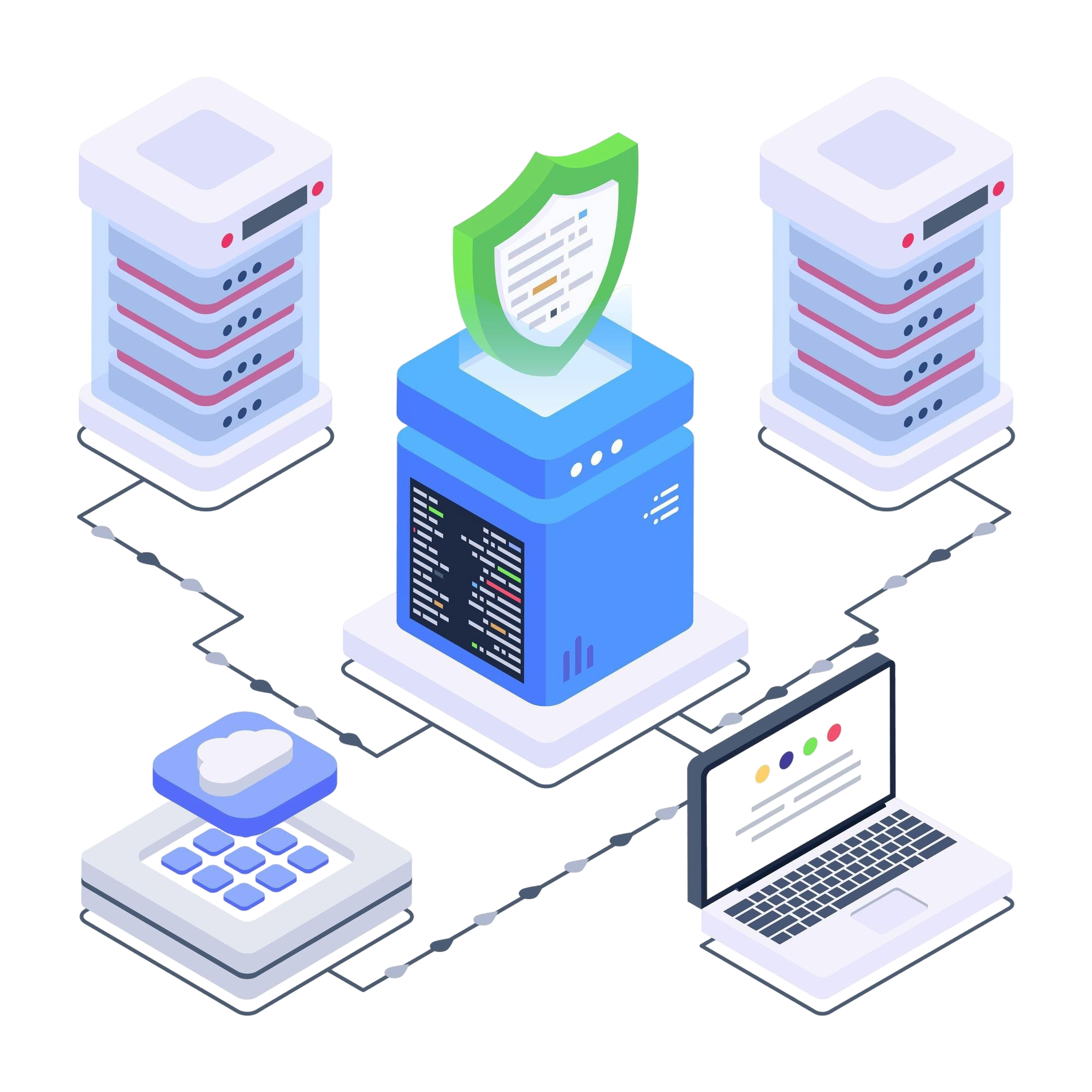

Comprehensive Server Protection
Server Security should protect the operating systems, the Applications, the access points to the Server and the data. The various protection settings for the Server of a business should be aligned with the work load of the Server and should not consume too much resources.

Performance-Focused Security
It’s also important to note that server security settings should be aligned with the server’s workload and also need to fit within the server’s available resources. So, while appropriate security settings can help avoid unnecessary overhead, the process of monitoring and scanning for security threats can have an impact on server performance.
Scalable Security Solutions
Server security solutions are easily reviewed and fine-tuned for companies with growing workloads, users or even locations. Depending on the platforms and services a company uses, the necessary security layers can be easily integrated into the existing infrastructure.

Proactive Threat Visibility
Be able to configure alerts and logging on the server so that the team can track what is happening and decide on further action as required. Monitoring must include the tools, signals and escalation policy that are in place for the team.

Centralised Security Management
Consolidating policies, threat information and coverage details can make protection easier to oversee. Centralised management tools help authorised teams review supported servers and follow up on identified security issues.
Common Server Security Threats That Put Businesses at Risk
Server security threats can interrupt services, expose sensitive information and make recovery costly. Understanding where attacks begin helps businesses prioritise protection instead of depending on a single security product.
Effective protection combines prevention, access management, monitoring and recovery arrangements across the server environment.

Ransomware and Malicious Code
Malicious software may encrypt important files or disrupt applications running on a server. Server malware protection, restricted execution and recovery planning help reduce exposure and support investigation.
Stolen Credentials and Brute-Force Attacks
Attackers may guess passwords or use compromised accounts to reach administrative systems. Strong authentication, access restrictions and login monitoring help address these attempts.

Outdated Software and Missed Patches
Unpatched operating systems and applications may contain weaknesses that attackers already understand. Server vulnerability management and controlled update schedules help teams identify and address these gaps.

Insecure Settings and Exposed Services
Open ports, default configurations and excessive privileges can create avoidable entry points. Server hardening services and configuration reviews help reduce unnecessary access and exposure.

Data Exfiltration
An intruder or misused account may transfer confidential records outside the organisation. Permissions, encryption and suitable data loss prevention controls help limit and investigate sensitive data movement.

Service Disruption and Availability Attacks
Malicious traffic, resource exhaustion or compromised services can interrupt business applications. Network filtering, capacity planning and incident procedures support availability; specific DDoS protection depends on the hosting service.
Key Features of Our Server Security and Protection Solutions
The key security features that a server security solution should have to address the specific threats to a given workload without adding features of a general endpoint security solution are outlined below.
The availability and specific configuration of the features will depend on the server platforms, security tools used and agreed service scope.
Threat Prevention and Hardening

Next-Generation Antivirus and Anti-Malware
A suitable server malware protection solution must use appropriate detection methods to identify malicious files and processes on the server. Furthermore, adequate settings for the quarantining of malware as well as for scheduling scans must be defined in order to take into consideration critical workloads and corresponding applications.

Server Hardening and Secure Configuration
Server hardening services involve limiting unnecessary services, reviewing configuration settings and restricting privileged access. These changes reduce exposed entry points while retaining essential application functions.

Firewall and Intrusion Prevention Systems
Firewalls for controlling incoming and outgoing network traffic by approving connections based on rules; intrusion prevention for detecting and blocking certain types of traffic (e.g., malware, denial of service attacks) with the server traffic, services, and network design taken into account.

Vulnerability Assessment and Patch Management
Server vulnerability management identifies weak points in servers and in their software or configuration. Prioritizing vulnerabilities by their risk ensures that the most critical issues are addressed first and tested before application in scheduled maintenance windows with appropriate change management.

Application Control and Whitelisting
Application control is used to restrict execution of unknown or malicious applications and limit impact of unknown scripts on the server whilst still allowing legitimate server workloads to run.
Access and Data Security

Zero Trust and Role-Based Access Control
Verified identity and least-privilege permissions for access to sensitive systems on servers and in applications. Roles for different administrative tasks and least-privilege to limit the damage in case of a compromised account.

Secure SSH Access and Multi-Factor Authentication
Protected SSH or remote administration requires appropriate credentials, approved access paths and logging. Multi-factor authentication strengthens privileged sign-ins where supported by the platform or access gateway.

Data Encryption and Secure File Transfers
The use of encryption on supported systems to protect business information on the server and during transfers across the network.

Data Loss Prevention (DLP)
DLP controls can identify or restrict certain transfers of sensitive data under defined policies. HRM publishes DLP offerings; server-level coverage and enforcement should be confirmed during assessment.
Detection, Monitoring and Response

Endpoint Detection and Response (EDR) for Servers
A suitable EDR solution can also collect workload activity and provide proof of concept for analysis of anomalies. Again, it is essential to first verify which server agents are supported and which actions can be taken.

Behavioural Analytics and Advanced Threat Detection
Behavior-based rules detect unusual processes, connections and access attempts and must be investigated by the administrator to determine whether or not an attack actually occurred.

Server Security Monitoring and Alerts
Server security monitoring reviews relevant events and sends alerts through configured channels. Response times, triage responsibilities and coverage hours depend on the agreed support arrangement.
Centralised Security Management Console
A central console can display protection status, policies, detections and covered server assets. This supports clearer reporting and consistent administration across compatible environments.
Incident Investigation and Response
Server threat detection and response requires defined escalation, containment and remediation steps. Responsibilities for isolation, restoration and communication should be documented in the service agreement.
How HRM Helps Secure Your Servers
Server protection is best protected by safeguarding the actual systems used by a company. HRM works on a consultative basis, and in addition to understanding your IT infrastructure, also offers a range of cybersecurity solutions. A server security assessment helps establish a work list, highlighting the responsibilities of individual teams.
Step 1 — Assess
We review the server inventory including the operating systems, the level of network exposure, the number of privileged accounts and the current security measures in place. We try to identify obvious misconfigurations, outdated software and critical business applications.
Step 2 — Plan
Arrange findings by greatest likely impact and greatest practical urgency. Identify required security tools, required policy changes and required additional support. Determine customer responsibilities for implementation and define boundaries for support activities.
Step 3 — Implement
Approved protection tools, access controls and hardening changes are configured for supported servers and tested for interaction with applications, recording of changes made and planning for necessary maintenance to avoid disruption to services.
Step 4 — Monitor
Carry out a review of relevant security events, alerts and outstanding findings under the Service Agreement. Refer potential security incidents to the appropriate parties and clearly outline the agreed process for investigation and escalation.
Step 5 — Improve
Security measures must be updated as the environment changes. Use your security assessment, security incidents and the way your servers are used to update and fine-tune your security policies, updates and incident response.
Server Security Solutions for Different IT Environments
Servers are different, so require different security safeguards. In addition to the general security offerings (Windows, Linux, cloud, dedicated servers, virtual servers) HRM also publishes server-specific security coverage (security controls) for the respective server environments (hardware and management).
Windows Server Security
Windows Server security consists of privilege management, management of policy settings by means of security software, updating of operating systems with latest security patches as well as updates for protection agents in order to ensure that the security of workloads is protected. Access rights of Active Directory as well as application-specific provisions and corresponding administrative procedures need to be taken into account.
Linux Server Security
Linux server security focuses on SSH access, user permissions, software packages and configuration settings. Appropriate logging, service restrictions and patching help reduce unnecessary exposure across supported distributions.
Cloud Server Security
Cloud server security focuses on identity permissions to Cloud Servers, network security rules, Guest OS security and Cloud Server monitoring. Note the shared responsibilities of the Cloud Provider and Customer for security and ongoing administration of Cloud Servers.
Dedicated and Bare-Metal Server Security
Dedicated servers including physical servers have host level security that needs to be protected in addition to the network security. Patch management, access control and hardware management must be addressed within the responsibilities of the infrastructure and the hosting agreement.
Virtual Server and VPS Protection
Virtual machines and VPS environments need secure guest configurations, updates and administrative controls. Isolation and underlying host protection also depend on the virtualisation platform and provider responsibilities.
Application and Database Server Protection
Application and database servers may store confidential operational records. Restricting service access, managing updates and protecting data transfers can reduce exposure without disrupting essential business processes.
Business Benefits of HRM Server Protection Services
The benefits of server security go beyond blocking malicious files. Effective controls support clearer decisions, more dependable operations and a structured approach to managing infrastructure risks. Outcomes depend on the environment, deployment quality and ongoing customer practices.
Stronger Security Posture
To mitigate risks and avoid issues with critical applications and support systems, address any unnecessary access, errant configuration settings and known vulnerabilities.
Better Threat Visibility
Relevant alerts, logs and assessment findings provide information that helps technical teams prioritise investigations instead of relying on assumptions.
Improved IT Productivity
Consistent policies and organised maintenance can reduce repetitive checks and help administrators focus on planned IT improvements and application support.
Reduced Downtime Risk
Preventive measures and incident procedures can limit certain disruption risks and improve readiness to investigate or restore affected services.
Compliance Readiness
Documented controls and audit evidence may support applicable security or privacy requirements, but do not establish compliance on their own.
Potential Cost Savings
Reducing avoidable incidents may lower recovery and operational expenses; actual savings depend on the threats encountered and controls implemented.
Scalable Protection
Security policies and compatible tools can be reviewed as server capacity, applications and user requirements expand over time.
Simplified Administration
By documenting the coverage of assets in a clear manner, defining the responsibilities for each, and aggregating the reporting, organizations can get a clear understanding of the protection in place and plan for future work accordingly.
Customers Success Stories

"What we like about HRM is their honesty and clarity. They make things look simple and execute quickly. We know, if they have suggested, it shall work and work well". We will always love to recommend them."

Nitesh Agarwal
CFO at Steel Plant
"The solutions offered by HRM Technologies are always fine-tuned with the right balance of Modernity & Reliability. This balance always makes their offering so powerful". We will always like to recommend them for IT Services."
MK SINGH
Manager at Transport Company
"We are happy to announce HRM as our preferred partner for all Cloud, IT & Software needs. They have solved our data protection issues in quick time."
Samkit Jain
Director at Tyre Showroom
"We were delighted to say that HRM have designed to use Tally Prime in single cloud server from multiple office. It is cost effective and high performance with high security & is also scalable in future."
Pankaj Agrawal
Director at Steel Plant
"HRM Technologies is "Very responsive, proactive and professional in IT services and delivery. This is how we acknowledge them". We will like to recommend them to everyone who wants to have genuine and transparent IT services."
CL SAHU
EDP MANAGER at Steel Plant
"We are tax professional and regularly visit our clients places for audit & inspection, and HRM have designed our Cloud server for working on Tally and Office documents, now we are ready for client services all over the world."
CA Vijit Goyal
Tax Practitioner
"What we like about HRM is their honesty and clarity. They make things look simple and execute quickly. We know, if they have suggested, it shall work and work well". We will always love to recommend them."
MK SINGH
Manager at Transport Company
Frequently Asked Questions About Server Security Services
1. What are server security services, and why does my business need them?
+
Server security services protect servers that run applications, manage business data and run services. These types of servers need to be protected from malware, unauthorized access, misconfigured systems and vulnerabilities in software. A single compromised server can cause serious problems including the exposure of sensitive information, disruption to service and expensive recovery work.
2. What is included in HRM's server security services?
+
HRM offers endpoint and file-server protection, as well as firewall, DLP, cloud and backup services. A server security offer would likely consist of a mix of the existing services. Managed server security services would need to clarify coverage, monitoring, hardening and incident response in a contract or scope of work.
3. How is server security different from endpoint security?
+
Server security typically involves shared workloads, privileged access, servers with services running and critical business data. While endpoint security relates to the protection of individual user workstations, servers have different requirements in terms of uptime and seamless integration with existing applications and services. Also, potential security measures can impact service accounts, require scheduled patches and have other side effects.
4. Can HRM secure both Windows and Linux servers?
+
HRM publishes Windows and Linux server solutions along with file-server protection capabilities. Appropriate security measures differ by operating system, workload and level of administration available. HRM can review your environment and confirm which protection tools, configurations and support activities are suitable for each supported platform.
5. Do you provide protection for cloud and dedicated servers?
+
HRM can provide you with cloud, dedicated and virtual server environments and will specify the necessary network, identity, workload and monitoring controls. The sharing of security and managed services responsibilities with the platform provider and/or customer must also be cleared with HRM in advance for your specific server setup.
6. How do server protection solutions help reduce ransomware risk?
+
Server security solutions address common ransomware attack vectors by detecting malware, limiting access, patching vulnerabilities and controlling execution of code. However, no single product can guarantee 100% protection from attack and must be used in conjunction with appropriate incident procedures and regular reviews of protection.
7. How often should server security updates and vulnerability scans be performed?
+
Critical updates should be assessed promptly, while routine maintenance should follow a schedule suited to the server's exposure and business role. Vulnerability reviews are useful after major changes and at regular risk-based intervals. Testing and planned maintenance windows help reduce the chance of disrupting important applications.
8. Can server security services support GDPR, India's DPDP requirements or other compliance obligations?
+
Server controls such as access restrictions, encryption, monitoring and documented changes can support aspects of compliance readiness. However, laws and industry standards may also require policies, governance, contractual measures and legal review. Technical protection alone does not guarantee compliance with GDPR, India's DPDP framework or any other regulation.
9. How much do server security services cost in India?
+
Pricing depends on server numbers, operating systems, hosting environments, workloads, selected protection products and the scope of ongoing support. A single virtual server may have different needs from a multi-location infrastructure. HRM should assess your requirements and provide a quotation rather than relying on an assumed fixed price.
10. How can I request a server security assessment from HRM?
+
Contact HRM through its website and share your server type, operating system, hosting setup, number of users and main security concerns. Mention any recent incidents or access requirements that may affect planning. HRM can then discuss an assessment, relevant services and the next steps within an agreed scope.